- Agencies
- Inquiries
- Team Management
Team Workflow and the Shared Inquiry Inbox
How multi-agent real estate teams in Thailand run their pipeline on Move Siam — shared inquiry visibility, internal notes, reminders, lead status, role permissions, and what happens when an agent leaves.
Published Jun 18, 20268 min read
On this page (18)
- The shared inquiry model
- Lead status - a shared vocabulary for the pipeline
- Internal notes - visible to your team, invisible to buyers
- Inquiry reminders
- Activity log
- Role permissions - who can do what
- Reassigning inquiries
- What happens when an agent leaves
- A typical day on the team dashboard
- Buyer-facing response-time signal
- Frequently asked questions
- Can I limit which agents see which inquiries?
- Does the shared inbox work across multiple agencies if my agent is in two?
- Are internal notes ever exposed to buyers?
- Can I integrate inquiries with my external CRM?
- What's the SLA for a buyer-facing message to arrive?
- Can I pin the most important inquiries to the top?
- Related reading
Team Workflow and the Shared Inquiry Inbox
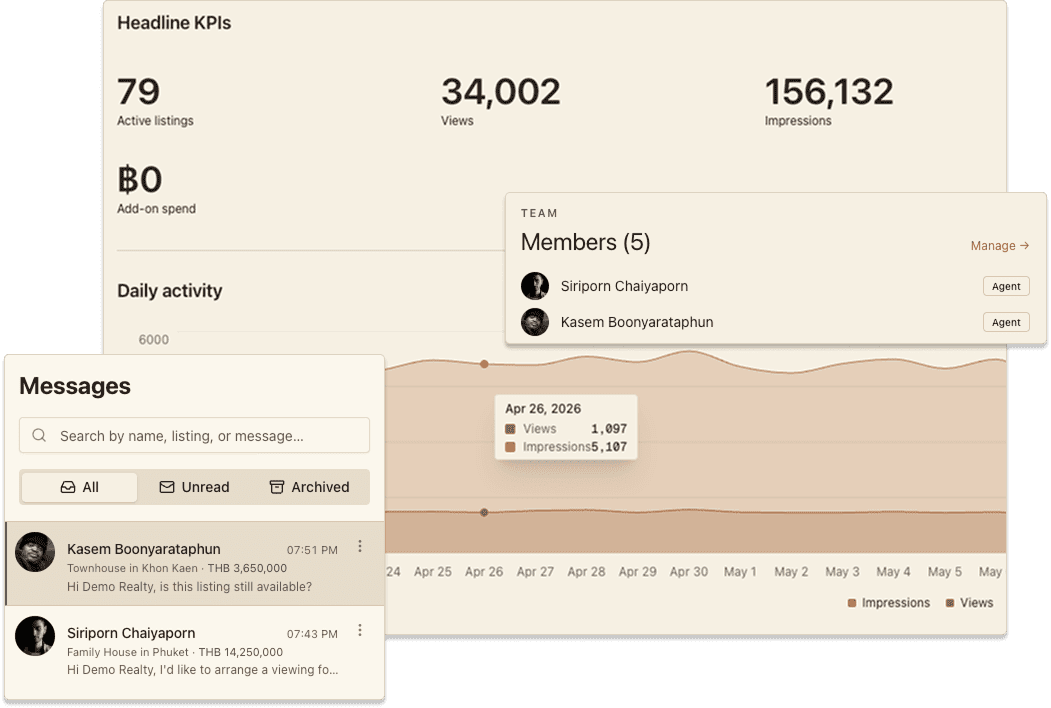
A buyer inquiry shouldn't depend on a single agent being awake, at their desk, and remembering to follow up. Move Siam treats inquiries as agency-shared by default - the listing's owning agent leads the conversation, but the whole team has visibility, the right people can step in, and nothing falls through when an agent is on leave or moves on.
This guide is how a multi-agent team uses that infrastructure to run a clean pipeline.
The shared inquiry model
When a buyer sends an inquiry on one of your listings, three things happen at once:
The inquiry is attached to the listing (so context is preserved - buyer, property, message).
The inquiry is attached to the listing's owning agent (the agent who created or claimed the listing).
The inquiry is attached to the agency (so every member with the right role can see it).
That third attachment is the one that matters. Your agency dashboard shows every inquiry across every agent's listings. Managers and owners read every thread. Agents see their own listings' threads plus, optionally, every thread the agency owns (toggle in the team settings).
The buyer never sees this structure. They see one agent in the conversation. The collaboration happens behind the scenes.
Lead status - a shared vocabulary for the pipeline
Every inquiry moves through a status workflow that everyone on the team can read at a glance:
New - just arrived, not yet responded to.
Contacted - first reply sent, conversation underway.
Qualified - buyer has confirmed serious intent (budget, timeline, viewing booked).
Won - sale or rental closed.
Lost - buyer declined, went silent, or chose a competitor.
Agents update the status as the conversation evolves. Managers monitor stuck conversations - anything sitting in "New" for more than 24 hours, or "Contacted" without movement for a week, surfaces in the agency dashboard as a flag.
The status is also the input to your performance reporting. Agency inquiry insights breaks down conversion rate per agent, time-to-first-response, and the win/loss ratio across the team.
Internal notes - visible to your team, invisible to buyers
Every inquiry thread has an internal notes panel that your agency members can see but the buyer cannot.
Use it for the things you'd otherwise put in a separate spreadsheet or chat:
"Buyer's husband is the decision maker - they're flying in next week."
"We already showed them the Sukhumvit 31 unit - don't repitch."
"Lead from the Krungsri campaign - refer to finance team."
"Manager: please review my reply before I send."
Notes are timestamped and signed with the agent's name. They stay with the inquiry forever - useful when an agent leaves and a colleague picks up the thread months later.
Inquiry reminders
For longer pipelines, manual follow-up discipline is what separates a closing agent from a busy one. Inquiry reminders let an agent set a future date and a one-line prompt:
"Follow up about the title-deed copy."
"Buyer asked us to wait until end of month."
"Check in if no reply by Tuesday."
When the reminder fires, the agent gets an email and an in-platform notification. Managers can see all upcoming reminders for the agency, so they spot pipeline gaps before they cost a deal.
Activity log
Every action on an inquiry - message sent, status changed, note added, reminder set, agent assigned - writes a line to the inquiry's activity log. The log is the audit trail of the conversation.
This matters for two reasons:
Coaching. A manager reviewing a stalled conversation can read the activity log to see whether the agent's actions match the team's playbook.
Handover. When an agent leaves or goes on leave, the next agent reads the activity log to understand exactly where the conversation stands.
Role permissions - who can do what
The agency role model (introduced in Why agencies choose Move Siam) maps onto the inquiry workflow cleanly:
Owner
Read every inquiry in the agency
Reply to any inquiry
Reassign an inquiry to a different agent
Change lead status on any inquiry
Add/edit internal notes
Set/clear reminders
See the full activity log
Manage billing and team members
Manager
All of the above except billing
Can promote/demote agents but not owners
Agent
Read and reply to inquiries on their own listings
Read inquiries across the agency (if the agency-wide visibility setting is on; defaults to on)
Add/edit notes and reminders on their own threads
Cannot reassign inquiries to other agents
Cannot remove team members
This separation keeps day-to-day work fluid (agents move fast on their own threads) while preserving oversight (managers and owners see and can intervene in everything).
Reassigning inquiries
Two common scenarios:
Agent on leave. A manager opens the inquiry, hits "Reassign", picks the covering agent, and adds a one-line note about the context. The covering agent gets a notification with a link to the thread.
Agent leaves the agency. When an owner removes a member, their inquiries don't disappear - they go into an unassigned bucket. The owner can bulk-reassign them to other agents or leave them unassigned for the team to pick up.
The buyer is never surprised by a new face. The covering agent's first reply explains the handover - "Hi, I'm covering for Khun X this week - happy to pick up where you left off."
What happens when an agent leaves
This is the scenario most agency owners worry about. Here's what Move Siam guarantees:
Listings stay with the agency. Even if an agent created a listing, ownership transfers to the agency when the agent leaves. An owner can reassign individual listings to remaining agents or leave them at the agency level.
Inquiry history stays. Every message, note, status change, and reminder remains in the system, viewable by the team.
Activity log preserves attribution. The departed agent's actions are still attributed to them historically - you can see what they did, even though they can no longer log in.
Buyer relationships transfer cleanly. The next agent picks up the thread with full context - no "starting from zero" awkwardness with the buyer.
A typical day on the team dashboard
What an owner might check before the morning meeting:
Open the agency dashboard. Top of the page: inquiries this week, conversion rate, listings live, revenue.
Filter the inquiry inbox by "New, > 24h". Any inquiry sitting unanswered for over a day - that's a coaching moment.
Filter by "Contacted, no movement, > 7 days". Pipeline stalls. Manager nudges the agent or steps in.
Check upcoming reminders. Visibility into what the team's planning to do today.
Skim activity log on the agency's hottest property. Are agents pushing it the way you'd want?
This whole sweep takes 5-10 minutes. Done daily, it keeps the pipeline visible without a stand-up meeting.
Buyer-facing response-time signal
Move Siam shows buyers each listing's response-time history (e.g., "Usually responds within 2 hours"). This is computed from your team's actual response times across all listings. A slow agent on the team brings the agency-wide signal down - another reason for shared inquiry visibility, since the manager spots it before the buyer does.
Frequently asked questions
Can I limit which agents see which inquiries?
The default is agency-wide visibility. Owners can switch the agency to "own listings only" mode in team settings - agents then only see inquiries on their own listings, and only managers/owners see the full inbox. Most agencies leave the default on; it's a meaningful step up in collaboration.
Does the shared inbox work across multiple agencies if my agent is in two?
An agent who belongs to two agencies sees each agency's inbox in its own workspace - they switch using the sidebar team switcher. Inquiries don't bleed across agencies; that would be a privacy issue.
Are internal notes ever exposed to buyers?
No. They live in a separate UI panel and are stored separately from the buyer-facing conversation. Even an export of an inquiry thread omits notes by default.
Can I integrate inquiries with my external CRM?
Webhook integrations are on the roadmap. For now, you can export the inquiry log as CSV from the agency dashboard for any time window you choose.
What's the SLA for a buyer-facing message to arrive?
Buyers see messages in near-real-time. Notifications (email + in-platform) reach agents within seconds for the in-platform alert and within a minute for email.
Can I pin the most important inquiries to the top?
Yes. Star an inquiry from the thread view and it pins to the top of the inbox for everyone on the team.
Related reading
Ready to run your team on a shared inbox? Open the agency dashboard. The inquiry tab is the first place a new manager should spend their morning.
How did this make you feel?
Was this helpful?